

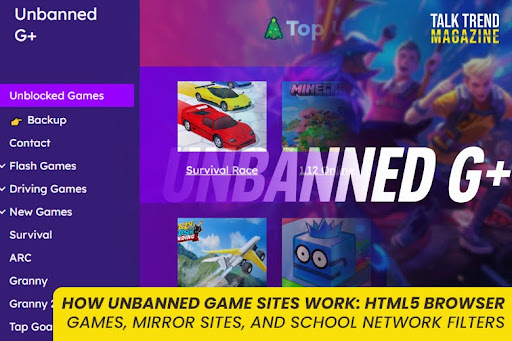

“Unbanned game sites” is a phrase students often use when they are really talking about unblocked browser games that still load on restricted networks. These sites usually are not special because they have secret technology. They work because of three practical realities:
- Browser games can run fully inside a webpage
- Sites can be copied and mirrored easily
- School networks use filtering systems that block some categories and allow others
This guide explains exactly how that ecosystem functions, in plain language, so you understand what you are looking at when someone shares an “unbanned games” link.
How do unbanned game sites work?
Most unbanned game sites work by hosting HTML5 browser games that run in the browser using JavaScript, often rendered with Canvas or WebGL, so there is nothing to install.
When a link gets blocked or removed, the same site is often re-published as a mirror on a new URL, with identical or near-identical content.
Whether you can access it depends on school filtering, which can block by domain, URL category, DNS requests, or policy rules.
HTML5 browser games
What “HTML5 games” actually are
An HTML5 browser game is a game built for the web stack:
- HTML structures the page
- CSS styles the interface
- JavaScript runs the game logic (movement, scoring, collision, timers)
- Graphics are typically drawn using Canvas or WebGL
Canvas is widely used for 2D drawing and is common in web games.
WebGL is a browser API that enables hardware-accelerated 2D and 3D rendering inside an HTML canvas, without plugins.
This is why these games can run on Chromebooks and school laptops: they are just web pages running standard browser technology.
Why HTML5 games are popular on “unblocked/unbanned” hubs
These sites usually choose HTML5 games for practical reasons:
- No installation: the game loads in a tab
- No admin privileges: students cannot install apps on managed devices, but they can open webpages
- Low friction: click and play
- Fast sessions: many games are designed to be played in short rounds
From the site owner perspective, HTML5 games are also easier to host and distribute because they are mostly static files (HTML, JS, images, audio).
How the game is delivered to the browser
In simple terms, when you open a browser game page, the browser downloads a set of files:
- the HTML page
- one or more JavaScript bundles
- images or sprite sheets
- sound files
- sometimes a game “data” file
Then JavaScript starts the game loop and draws frames to Canvas or WebGL.
Why some sites feel “lightweight” or “minimal”
A lot of unbanned game hubs are intentionally simple:
- basic list of games
- thumbnails
- a player page with the embedded game
That simplicity is not just design choice. It makes the site:
- easier to load on weak hardware
- easier to duplicate
- easier to host on basic static hosting
You can see this pattern in public “unblocked games website” repos and templates, which are often plain HTML.
Embedded games, frames, and “game players”
Many hubs do not build the game. They embed it.
Common setups include:
- hosting the game files locally and loading them on a “player” page
- embedding the game via an iframe from another host (depends on the game license and setup)
- using a wrapper page with ads, then launching the game in a container
Important note: the mechanism (embed vs self-host) changes the risk profile. If the site is mostly wrappers and ads, you can see more redirects and popups. If it is mostly static files, it is usually cleaner.
Section 2: Mirror sites
What a mirror site is
A mirror site is a copy of a website hosted on another server under a different URL, but otherwise identical or close to identical.
Mirroring is a normal concept on the internet. Legitimate projects use mirrors for speed and availability too. The difference is what is being mirrored and why.
Why “unbanned game sites” rely on mirrors so much
There are three practical reasons these hubs get mirrored frequently:
1) Availability when a domain goes down
Domains expire, get reported, get taken down, or become unreachable. A mirror allows the same content to keep existing somewhere else.
2) Rapid re-publishing of the same library
Because many hubs are mostly static files, copying them is straightforward. That makes it easy for a similar site to appear elsewhere with the same structure and game list.
3) Filters and policies change
When access changes on a school network, students share whatever is currently reachable. The result is constant movement: new URLs get attention, old URLs fade.
How mirrors are created (conceptually, not as instructions)
At a high level, mirroring means duplicating the site’s assets:
- HTML pages
- scripts
- images
- game files
- layout and navigation
Then hosting that set somewhere else. TechTarget defines it as content copied to another server to make it available from more than one place.
Mirror sites vs “lookalike” sites
Two important distinctions:
- True mirrors: same content, same structure, almost identical
- Lookalikes: similar name, similar layout, different operators, different ad networks
This matters because the safety level can be very different between an original site, a true mirror, and a lookalike.
A realistic way to spot mirrors (safe and non-technical)
Without doing anything risky or technical, here are signs two sites are mirrors:
- same exact game list in the same order
- identical thumbnails
- identical page titles and descriptions
- same UI layout and navigation labels
- the same errors or broken images
If everything matches, it is likely a clone or mirror.
School network filters
What school filters are designed to do
School networks use web filtering to restrict categories and URLs for safety, compliance, and focus. Some filtering systems block:
- specific domains (example.com)
- specific URLs or paths (example.com/games)
- categories (gaming, adult content, social media)
- keyword-based content rules
URL filtering commonly works by checking traffic against a database of URLs and categories and then allowing or denying access based on policy.
The three common ways web filtering shows up for students
1) URL or category filtering
This is the classic block page: “This site is blocked.”
The system classifies a site as gaming (or another restricted category) and blocks it.
2) DNS filtering
DNS filtering blocks access by intercepting DNS requests and applying policy rules before the domain resolves.
From a student’s view, this may look like “site not found” or endless loading, depending on setup.
3) Device-level restrictions on managed Chromebooks
In many schools, Chromebooks are managed. Admins can enforce app and extension policies, which limits what can be installed or run outside approved tools. Google’s admin documentation covers how apps can be allowed, forced, or restricted in managed environments.
Why some sites slip through temporarily
This is important: it is not always about “being clever.”
Sites can remain reachable temporarily because:
- the domain is new and not categorized yet
- the filter database has not updated classification
- the site is miscategorized (not flagged as gaming)
- the school’s policy blocks categories, not every possible host
This is why “unbanned game sites” feel like they come and go.
Why filters catch up
Filters improve coverage over time. When a site gets popular enough, it:
- gets reported
- gets categorized correctly
- gets added to a block list
Then students move on, and a mirror or new domain takes its place.
What this means for your content strategy
Do not write this page as “here’s how to bypass filters.” That is not safe, and it can also attract the wrong type of intent.
Instead, this page should help the reader understand:
- why these sites exist
- why they are often clones
- why access changes
- how to think about safety and policy
That’s what makes the article evergreen.
Safety note (short but necessary)
Because these sites often use ads and mirrors, quality varies a lot. If a page asks you to:
- install something
- add an extension
- allow notifications
- log in with personal accounts
treat it as a red flag and leave. This aligns with common safety guidance around ad-heavy gaming hubs and mirrors.
FAQs
How do unbanned game sites work without downloads?
Most host HTML5 games that run in the browser using JavaScript, often rendered with Canvas or WebGL.
Why do these sites keep changing links?
Because many are mirrored or copied to new URLs, and access can change when filters or domains change. Mirror sites are identical copies hosted at different URLs.
How do school filters block game sites?
Many use URL filtering and category databases to allow or deny access, and some use DNS filtering that blocks domains at the DNS level.


