

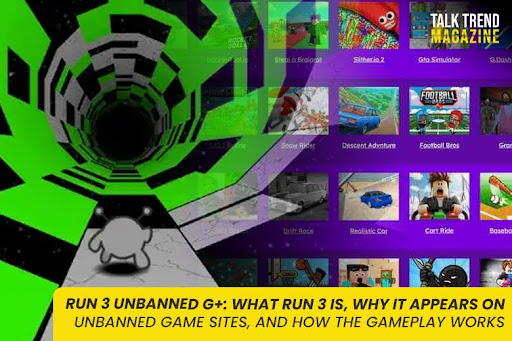

If you searched “run 3 unbanned g+”, you are not alone. Run 3 is one of the most commonly shared browser runner games in school and Chromebook circles, often appearing on “unbanned” or “unblocked” game hubs.
The phrase “unbanned g+” is usually student slang for unblocked browser games that still load on restricted networks. Run 3 shows up there a lot because it is a proven browser game, easy to run in a tab, and popular for quick sessions.
This page covers everything you actually need:
- What Run 3 is (and why it’s different from normal runners)
- Why it appears on unbanned/unblocked game sites
- A detailed gameplay explanation with practical tips
What Run 3 is
Run 3 in one sentence
Run 3 is a fast, skill-based platform runner set in space tunnels where you run, jump, and rotate gravity to avoid falling into the void.
It is best described as an endless runner, but it plays more like a precision platformer because timing and route choice matter more than random speed.
Who made Run 3 and when it came out
Run 3 is widely credited to Joseph Cloutier (often listed on major portals as the developer).
Major game databases also list the browser release in June 2014, matching the common public timeline for the Flash-era release.
You may see different dates on different websites because Run 3 existed across multiple platforms and releases. Some portals describe it as released in 2014 and later adapted to keep working in modern browsers.
What makes Run 3 different from typical running games
Most runner games are “straight line, jump obstacles.” Run 3 adds two things that make it addictive:
- Rotating tunnel gravity
You are not just running forward. You are running inside a tunnel, and you can rotate the world to run on walls or change the “down” direction. - Multiple characters with different abilities
Run 3 is not just one avatar. Different runners have different movement traits, which changes how you approach levels.
Modes: Explore vs Infinite
Most authoritative portals describe two core modes:
- Explore Mode: progress through a map, unlock new areas, meet characters
- Infinite Mode: go as far as possible without falling, focusing on survival and rhythm
This split is a big reason Run 3 keeps people coming back. Explore mode feels like a real campaign, and Infinite mode is the quick “one more run” loop.
Why Run 3 appears on unbanned game sites
Run 3 appears on “unbanned/unblocked” game hubs for practical reasons, not magic.
1) It’s a browser-first game, perfect for school devices
Run 3 is widely distributed as a web browser game.
That matters because on school Chromebooks, installing games is often restricted. Browser games are the easiest thing to share and run.
2) It became popular during the Flash era, then stayed popular
Many portals mention that Run 3 was widely played during the Flash era and later kept playable through conversions or updated hosting.
This created a huge audience and a lot of re-hosting across the internet.
3) It’s easy for hubs to re-host or embed
Unblocked game hubs often work by collecting lots of lightweight games that can be embedded or hosted as web assets.
Run 3 is commonly listed across many portals and “unblocked” pages, including Google Sites hub pages dedicated to “Run 3 Unblocked.”
That tells you something: it’s one of the default “go-to” games that gets copied into hub libraries.
4) Mirrors and clones happen naturally in the unblocked ecosystem
Unblocked gaming hubs are famous for mirrors. When a link stops working on one network, students share another page that hosts the same game.
You will often see identical descriptions, identical screenshots, and the same version of Run 3 across multiple websites. That is why the keyword “run 3 unbanned g+” exists at all: it’s students trying to find a version that loads in their environment.
5) It’s “short-session friendly”
Run 3 is perfect for quick play because:
- levels are short
- failure is instant and readable
- restarts are fast
- it feels skill-based, not luck-based
That makes it ideal for break time, which is exactly when students tend to search unblocked game hubs.
Run 3 gameplay explanation (detailed, practical)
The goal
Your goal is simple: keep moving through floating tunnels and avoid falling into space.
But the way you achieve it is what makes the game special.
Core controls and movement
Most portals summarize the controls like this:
- Arrow keys to move and jump
- Left/right rotation to rotate the world as you run
Even if control schemes vary slightly depending on where you play, the gameplay always revolves around the same ideas:
- forward momentum
- jump timing
- gravity orientation
The tunnel concept: you are running “inside” a shape
Imagine a rectangular tunnel made of platforms. You are running on one face of it.
When the tunnel breaks or there’s a gap, you have a choice:
- jump the gap
- or rotate to another wall where there is a path
That rotation is not cosmetic. It changes:
- which surfaces you can land on
- your angle of approach
- how safe a jump is
Gravity rotation: the true skill mechanic
This is the mechanic that separates beginners from people who “get it.”
In Run 3, rotation effectively changes where “down” is. That means you can:
- run along walls
- use rotation to avoid holes
- reframe a difficult gap into a safer landing
Many portals describe it as “run along walls to change gravity.”
Practical rotation tip
If you fall a lot early, it’s usually because you rotate too late.
A good pattern is:
- scan the next platform
- decide if you jump or rotate
- rotate before the moment becomes urgent
Explore Mode: progression and map thinking
Explore Mode is where Run 3 becomes more than a quick runner.
In Explore Mode, you expand your map by clearing tunnels and moving through areas, meeting new characters along the way.
This mode rewards:
- learning level patterns
- choosing safer routes
- understanding which characters fit which tunnel types
Infinite Mode: survival and rhythm
Infinite Mode is about consistency.
You will face:
- repeating tunnel types
- speed pressure
- increasing demand for precision
This mode is best when you want a quick competitive challenge, like “how far can I go today.”
Characters and abilities
A major part of Run 3 is trying different characters.
Portals highlight character variety and abilities as a core feature.
Even without listing every character, you should understand the role of character choice:
- Some characters are better for stability and control
- Others may have unique movement traits that help on specific tunnel patterns
- Switching characters can turn a frustrating level into an easy one
What makes Run 3 hard (and why people keep playing)
Run 3 is challenging for three reasons:
- Depth perception in tunnels
You are in a 3D-looking space. Jumps can feel shorter or longer than they are. - Platform gaps + rotating world
Sometimes the best solution is not a perfect jump. It’s choosing a better wall. - Momentum and panic
Run 3 punishes hesitation. Once you start reacting late, you fall into a loop of mistakes.
The reason it stays addictive is simple: failure feels fair. You can usually tell what you did wrong, and you can fix it on the next attempt.
Beginner tips that actually help
These are not generic tips. They match how the game works:
- Stop rotating at the last second. Rotate early to set your path.
- Treat walls like routes, not emergencies. Choose your wall before the gap.
- Use Explore Mode to build skill. Infinite Mode is harder if you skip learning.
- Try different characters when stuck. Character differences matter in precision tunnels.
Coolmath’s own tips article frames the Run series popularity around the space-tunnel movement and skill challenge, which supports the idea that improving is part of the loop.
Why “Run 3 unbanned g+” is searched specifically
This keyword form usually means:
- The user is on a restricted network (school)
- Run 3 is a known desired game
- They are looking for a version that loads where they are
- They use “unbanned g+” as the shortcut phrase that sometimes surfaces unblocked hub pages
So your page should satisfy that intent without becoming a “working links” list (which becomes outdated and can attract the wrong audience).
FAQs
Is Run 3 a browser game?
Yes. Run 3 is commonly distributed as a web browser game and listed on major browser game portals.
Who developed Run 3?
Major portals list Joseph Cloutier as the developer.
What are the main modes in Run 3?
Many portals describe Explore Mode and Infinite Mode as the two main ways to play.
Why is Run 3 common on unblocked/unbanned game hubs?
It is a proven, popular browser game that works well in short sessions and is frequently re-hosted on game portals and unblocked hub pages.


