Category: How to

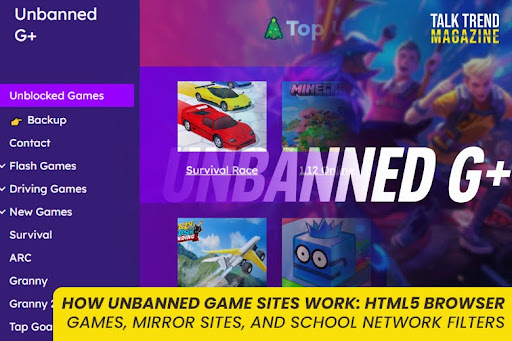
“Unbanned game sites” is a phrase students often use when they are really talking about unblocked browser games that still load on restricted networks. These sites usually are not special because they have secret technology. They work because of three practical realities:

  1. Browser games can run fully inside a webpage
  2. Sites can be copied and mirrored easily
  3. School networks use filtering systems that block some categories and allow others

This guide explains exactly how that ecosystem functions, in plain language, so you understand what you are looking at when someone shares an “unbanned games” link.

How do unbanned game sites work?

Most unbanned game sites work by hosting HTML5 browser games that run in the browser using JavaScript, often rendered with Canvas or WebGL, so there is nothing to install.
When a link gets blocked or removed, the same site is often re-published as a mirror on a new URL, with identical or near-identical content.
Whether you can access it depends on school filtering, which can block by domain, URL category, DNS requests, or policy rules.

HTML5 browser games

What “HTML5 games” actually are

An HTML5 browser game is a game built for the web stack:

  • HTML structures the page
  • CSS styles the interface
  • JavaScript runs the game logic (movement, scoring, collision, timers)
  • Graphics are typically drawn using Canvas or WebGL

Canvas is widely used for 2D drawing and is common in web games.
WebGL is a browser API that enables hardware-accelerated 2D and 3D rendering inside an HTML canvas, without plugins.

This is why these games can run on Chromebooks and school laptops: they are just web pages running standard browser technology.

Why HTML5 games are popular on “unblocked/unbanned” hubs

These sites usually choose HTML5 games for practical reasons:

  • No installation: the game loads in a tab
  • No admin privileges: students cannot install apps on managed devices, but they can open webpages
  • Low friction: click and play
  • Fast sessions: many games are designed to be played in short rounds

From the site owner perspective, HTML5 games are also easier to host and distribute because they are mostly static files (HTML, JS, images, audio).

How the game is delivered to the browser

In simple terms, when you open a browser game page, the browser downloads a set of files:

  • the HTML page
  • one or more JavaScript bundles
  • images or sprite sheets
  • sound files
  • sometimes a game “data” file

Then JavaScript starts the game loop and draws frames to Canvas or WebGL.

Why some sites feel “lightweight” or “minimal”

A lot of unbanned game hubs are intentionally simple:

  • basic list of games
  • thumbnails
  • a player page with the embedded game

That simplicity is not just design choice. It makes the site:

  • easier to load on weak hardware
  • easier to duplicate
  • easier to host on basic static hosting

You can see this pattern in public “unblocked games website” repos and templates, which are often plain HTML.

Embedded games, frames, and “game players”

Many hubs do not build the game. They embed it.

Common setups include:

  • hosting the game files locally and loading them on a “player” page
  • embedding the game via an iframe from another host (depends on the game license and setup)
  • using a wrapper page with ads, then launching the game in a container

Important note: the mechanism (embed vs self-host) changes the risk profile. If the site is mostly wrappers and ads, you can see more redirects and popups. If it is mostly static files, it is usually cleaner.

Section 2: Mirror sites

What a mirror site is

A mirror site is a copy of a website hosted on another server under a different URL, but otherwise identical or close to identical.

Mirroring is a normal concept on the internet. Legitimate projects use mirrors for speed and availability too. The difference is what is being mirrored and why.

Why “unbanned game sites” rely on mirrors so much

There are three practical reasons these hubs get mirrored frequently:

1) Availability when a domain goes down

Domains expire, get reported, get taken down, or become unreachable. A mirror allows the same content to keep existing somewhere else.

2) Rapid re-publishing of the same library

Because many hubs are mostly static files, copying them is straightforward. That makes it easy for a similar site to appear elsewhere with the same structure and game list.

3) Filters and policies change

When access changes on a school network, students share whatever is currently reachable. The result is constant movement: new URLs get attention, old URLs fade.

How mirrors are created (conceptually, not as instructions)

At a high level, mirroring means duplicating the site’s assets:

  • HTML pages
  • scripts
  • images
  • game files
  • layout and navigation

Then hosting that set somewhere else. TechTarget defines it as content copied to another server to make it available from more than one place.

Mirror sites vs “lookalike” sites

Two important distinctions:

  • True mirrors: same content, same structure, almost identical
  • Lookalikes: similar name, similar layout, different operators, different ad networks

This matters because the safety level can be very different between an original site, a true mirror, and a lookalike.

A realistic way to spot mirrors (safe and non-technical)

Without doing anything risky or technical, here are signs two sites are mirrors:

  • same exact game list in the same order
  • identical thumbnails
  • identical page titles and descriptions
  • same UI layout and navigation labels
  • the same errors or broken images

If everything matches, it is likely a clone or mirror.

School network filters

What school filters are designed to do

School networks use web filtering to restrict categories and URLs for safety, compliance, and focus. Some filtering systems block:

  • specific domains (example.com)
  • specific URLs or paths (example.com/games)
  • categories (gaming, adult content, social media)
  • keyword-based content rules

URL filtering commonly works by checking traffic against a database of URLs and categories and then allowing or denying access based on policy.

The three common ways web filtering shows up for students

1) URL or category filtering

This is the classic block page: “This site is blocked.”
The system classifies a site as gaming (or another restricted category) and blocks it.

2) DNS filtering

DNS filtering blocks access by intercepting DNS requests and applying policy rules before the domain resolves.
From a student’s view, this may look like “site not found” or endless loading, depending on setup.

3) Device-level restrictions on managed Chromebooks

In many schools, Chromebooks are managed. Admins can enforce app and extension policies, which limits what can be installed or run outside approved tools. Google’s admin documentation covers how apps can be allowed, forced, or restricted in managed environments.

Why some sites slip through temporarily

This is important: it is not always about “being clever.”

Sites can remain reachable temporarily because:

  • the domain is new and not categorized yet
  • the filter database has not updated classification
  • the site is miscategorized (not flagged as gaming)
  • the school’s policy blocks categories, not every possible host

This is why “unbanned game sites” feel like they come and go.

Why filters catch up

Filters improve coverage over time. When a site gets popular enough, it:

  • gets reported
  • gets categorized correctly
  • gets added to a block list

Then students move on, and a mirror or new domain takes its place.

What this means for your content strategy

Do not write this page as “here’s how to bypass filters.” That is not safe, and it can also attract the wrong type of intent.

Instead, this page should help the reader understand:

  • why these sites exist
  • why they are often clones
  • why access changes
  • how to think about safety and policy

That’s what makes the article evergreen.

Safety note (short but necessary)

Because these sites often use ads and mirrors, quality varies a lot. If a page asks you to:

  • install something
  • add an extension
  • allow notifications
  • log in with personal accounts

treat it as a red flag and leave. This aligns with common safety guidance around ad-heavy gaming hubs and mirrors.

FAQs

How do unbanned game sites work without downloads?

Most host HTML5 games that run in the browser using JavaScript, often rendered with Canvas or WebGL.

Why do these sites keep changing links?

Because many are mirrored or copied to new URLs, and access can change when filters or domains change. Mirror sites are identical copies hosted at different URLs.

How do school filters block game sites?

Many use URL filtering and category databases to allow or deny access, and some use DNS filtering that blocks domains at the DNS level.


Students do not search “Unbanned G+” because it is a real brand or an official platform. They search it because it functions like a shortcut keyword that often leads to what they actually want: browser-based games that still load on restricted school networks.

In many schools, entertainment categories like gaming and streaming are restricted for safety, focus, bandwidth, and compliance reasons. At the same time, students still want quick ways to relax during breaks, free periods, or after assignments. That tension creates a predictable behavior pattern: students search for terms that might surface accessible game hubs.

This article explains the real reasons behind the trend in three parts:

  1. School internet restrictions
  2. Chromebook limitations
  3. Browser-based gaming behavior

First, what “Unbanned G+” signals in student language

Before we break down the reasons, it helps to understand the phrase itself.

Most SERP competitors describe Unbanned G+ as a collective label used for unblocked browser game hubs on restricted networks, especially school Wi-Fi. It is not a single stable website and not an official product.

Students often use “unbanned” the way they mean “unblocked.” That difference matters because it explains why the keyword sounds odd, but still spreads fast.

In student logic, the phrase basically means:

  • “The game hub that still works here”
  • “The one that is not blocked on school Wi-Fi”
  • “The browser games I can play without installing anything”

1) School internet restrictions

Why schools restrict sites in the first place

School internet restrictions are not random. Schools block categories to:

  • keep students focused during instructional time
  • reduce exposure to unsafe content
  • manage bandwidth and performance
  • comply with education safety rules and policies

It is common for schools to block entire categories like gaming, streaming, social media, and proxy tools as part of broader student safety and instructional focus policies.

From a student perspective, though, the experience is simple:

  • “This site worked at home.”
  • “It does not work at school.”
  • “I need a different search term.”

That is where keywords like “Unbanned G+” emerge.

How restriction feels to students (the behavior loop)

Here is the typical loop that creates “Unbanned G+” searches:

  1. A student tries a popular game site. It is blocked.
  2. They try another well-known unblocked site. That is blocked too.
  3. They ask friends or search TikTok/Discord for “what works.”
  4. Someone says: “Search unbanned g+.”
  5. The phrase becomes the shared shortcut.

This is exactly the kind of “persistent gap” some competitors mention: admins restrict entertainment, users still want break-time access, and new hubs keep appearing because demand stays constant.

Why gaming gets blocked more aggressively than other categories

Gaming is blocked hard because it combines multiple concerns:

  • distraction risk (students switching tabs during class)
  • heavy resource usage (ads, scripts, multiplayer traffic)
  • content variability (some games include chat, violence, gambling-like mechanics)
  • unknown ad networks (riskier than static educational content)

Even when a game is harmless, the site hosting it may include aggressive ads or trackers, which increases the chance it gets filtered later.

Why students search “unbanned” instead of “unblocked”

“Unblocked games” is a logical keyword, but “unbanned” spreads because it sounds like a stronger promise: access restored, restrictions removed, “the working version.”

Some SERP content even frames Unbanned G+ as the “latest hub that still works here,” which shows how the term is used socially.

Students are not trying to be technically correct. They are trying to find a phrase that returns results.

2) Chromebook limitations

Chromebooks are one of the biggest drivers of this keyword trend because they shape what students can do.

Chromebooks are browser-first by design

A Chromebook is optimized around the browser. That is great for schoolwork and cloud apps, but it also means entertainment naturally shifts toward browser-based content, including games.

So even if a student would prefer to download a game, on a school Chromebook that usually is not realistic.

School Chromebooks are typically managed devices

Many schools manage Chromebooks centrally. That management often includes restrictions such as:

  • limiting which apps can be installed
  • forcing or blocking specific apps
  • controlling permissions and settings
  • locking down extension installation

Google’s own admin documentation describes how admins can force-install apps, allow-install from managed Google Play, pin apps, or block installs, which highlights how controlled these environments can be.

From the student’s view, this translates into:
“I cannot just install a game.”

That limitation pushes students toward browser games and toward searches like “Unbanned G+.”

Why students do not rely on app stores at school

Even if a Chromebook supports Android apps, the ability to install them depends on admin policy. If installs are blocked, the “app route” is a dead end.

So the fastest, most reliable entertainment option becomes:

  • open a tab
  • click play
  • close tab
  • return to homework

That behavior matches browser-based gaming perfectly.

Why Chromebooks create “quick session” game demand

Chromebook use in school is often structured around:

  • short breaks
  • supervised classes
  • time-limited free periods
  • shared spaces

This environment rewards games that:

  • load quickly
  • require no login
  • can be played in 2 to 10 minutes
  • do not require saving progress

Competitor content frequently calls out that these hubs “work well on Chromebooks” specifically because they rely on standard browsers and lightweight game tech.

3) Browser-based gaming

Browser games match student constraints perfectly

Browser-based games have three advantages that map directly to school reality:

  1. No installation
  2. Low friction (search, click, play)
  3. Fast exit (close tab, done)

That is why Unbanned G+ is commonly described as a hub for browser-playable games that fit school and work environments.

Why “no installs” matters more than people think

On a personal PC, downloads are normal. On school devices, downloads are often:

  • blocked
  • restricted by permissions
  • monitored
  • not worth the risk of breaking policy

So “no install” is not just convenience. It is the only option that fits the environment.

The “break-time reset” effect

A lot of students are not searching because they want hours of gaming. They want a mental reset between tasks.

Some competitor pages explicitly position these hubs as short-break entertainment for students, and even for workers during lunch, because the format is lightweight and quick.

Whether or not you agree with gaming at school, the psychology is simple:

  • school day is long
  • attention gets tired
  • quick play feels like a reset
  • students search for what works

Why the keyword spreads faster than any single game site

This is one of the most important ranking insights.

Competitors point out that when one URL gets blocked, clones or mirrors appear and students share the “fresh” replacement.

That creates a situation where:

  • specific sites come and go
  • the keyword stays
  • the community learns “search this phrase”

So “Unbanned G+” becomes a reusable search label, not a stable destination.

Why schools often catch up eventually

Most school filtering systems adapt. When a hub becomes popular, it draws attention, and it may eventually be blocked like the others.

That is why the trend does not die. It cycles:

  • a hub works
  • it spreads
  • it gets blocked
  • students search again
  • new hubs appear
  • The keyword stays

Competitors describe this as an ongoing “gap” between restrictions and break-time demand, which is a useful framing for your content. 

FAQs

Why do students search “Unbanned G+” instead of “unblocked games”?

Because the phrase spreads socially as a shortcut keyword, it often points to the latest browser game hub that still loads on restricted networks.

Do Chromebooks cause this trend?

They strongly contribute. Managed Chromebooks often limit installs and push students toward browser-based options, which aligns with “Unbanned G+” style game hubs.

Are school internet restrictions normal?

Yes. Schools commonly block categories, including gaming and streaming, for policy, safety, and focus reasons. 

If you are searching “unbanned G+ meaning”, you are probably seeing this phrase pop up in school groups, Discord chats, Reddit comments, or shared Chromebook links. The confusing part is that the phrase sounds official, like a real product name, but it is not.

Unbanned G+ is an informal internet phrase that most commonly refers to unblocked browser game hubs that still load on restricted networks, especially school Wi-Fi. In simple words, people use “unbanned g+” as shorthand for games that are not blocked at school, usually played directly in the browser.

This article breaks down what the phrase actually means, why it got popular, and the difference between unbanned and unblocked, so you do not get misled.

What the phrase actually means

The real-world meaning (what most people intend)

In everyday usage, Unbanned G+ usually means:

  • Unblocked browser games
  • Game hubs that students share because they might load on school networks
  • A “category label,” not one fixed website

So when someone searches unbanned g plus meaning, they usually want one of these answers:

  1. “Is this a safe site or a risky one?”
  2. “Is this just unblocked games?”
  3. “Why does it work on Chromebooks sometimes?”
  4. “Does it have anything to do with Google+?”

Your job as a content writer is to satisfy these questions quickly, because definition keywords are bounce-heavy. If you do not clarify the meaning fast, users leave and Google notices.

What it does not mean

There are three common misunderstandings your article must shut down early:

1) It is not Google+ returning.
Google+ (the old social network) is not what students are searching for when they type “unbanned g+ meaning.” The phrase is just misleading.

2) It is not an official Google product.
There is no official “Unbanned G+ platform.”

3) It usually is not about unbanning a game account.
Some people think “unbanned” means “my account ban got removed.” That is a different use of the word.

A clean, quotable definition

If you want the simplest definition that covers intent:

Unbanned G+ is a slang term for unblocked browser game hubs that may still load on restricted networks, especially in school environments. It is not an official platform and not a single permanent website.

Why the term became popular

This phrase did not become popular because it was well-branded. It became popular because it matches a real situation that students deal with every day.

1) Schools block entertainment sites

Most schools restrict gaming and entertainment websites. When students try to open a game site and it fails, they search for alternatives. Over time, the phrase “unbanned g+” became one of the shortcut keywords people type when they want “something that still works.”

This is why you see the term spike in school circles: it is tied to restrictions, not to a specific company.

2) Browser games fit Chromebook reality

School devices are often Chromebooks or managed laptops. Students cannot install games, and they cannot run software that requires admin permission. Browser games solve that problem because they:

  • open in a tab
  • run without installation
  • usually do not require accounts
  • work in short bursts during breaks

That is why “unbanned g+” is heavily associated with browser-based HTML5 games.

3) The phrase spreads socially, not officially

The biggest reason this term exists is simple: students share it with other students.

One person finds a hub that loads. They tell others, “Search unbanned g+.” That phrase spreads faster than the actual links. Even when the site changes or gets blocked, the keyword remains the “shortcut query.”

That is how slang keywords behave: the wording stays stable, while the websites rotate.

4) “Unbanned” sounds like “the version that still works”

The word “unbanned” makes it feel like:

  • “This is the allowed version.”
  • “This is the one that is not blocked”
  • “This is the unlocked path”

So even if the term is technically wrong, it feels correct in student logic. They are not thinking in network terminology. They are thinking in outcomes: blocked vs working.

5) Confusion adds more searches

The “G+” part causes extra curiosity, which creates extra search demand:

  • “unbanned g+ meaning”
  • “what is unbanned g plus”
  • “is unbanned g+ google”
  • “unbanned g+ safe or not”

The more people misunderstand, the more people search. That is why clarification-style articles can rank well if they are direct and complete.

Difference between unblocked games and unbanned games

This section is the most important for your keyword because it resolves the biggest confusion.

Simple comparison

Unblocked is about a network filter.
Unbanned is about an account or platform ban.

Quick table (copy-paste)

TermWhat it technically meansWhat people mean in school searches
Unblocked gamesThe site is accessible on a restricted network“This works on school Wi-Fi”
Unbanned gamesA ban on an account was removed by the platformRarely what students mean
Unbanned G+Informal label used for “unblocked game hubs”“Search this to find games that load”

What “unblocked games” actually means

A game site is “unblocked” when:

  • the school filter does not block it yet
  • the site is hosted somewhere the filter is not aggressively filtering
  • the category has not been flagged
  • the rules changed and that domain is still accessible

Unblocked is about network access, not about game rules.

What “unbanned games” actually means

A game or platform “unbans” you when:

  • your account was banned or suspended
  • you appealed successfully
  • the platform removed the restriction

That is not the same as a site being blocked by school Wi-Fi. It is account-level access, not network-level access.

Why students mix them up

Because the student’s experience looks like this:

  • “I cannot open it.”
  • “Now I can open it.”

So the word “unbanned” becomes slang for “it works again,” even if the correct technical word is “unblocked.”

Bottom line: In school-related search intent, “unbanned” often means “unblocked.”

Common misunderstandings about “G+”

People see “G+” and assume it connects to Google+ or a Google feature. In most student usage, “G+” is just part of the slang naming style.

In many unblocked-game communities, “G” or “G+” is used loosely to imply:

  • a “Google-ish” or school-device-friendly hub
  • a simple naming pattern that spread via sharing
  • a label that looks safe and familiar to students

You do not need to over-explain this. For ranking, the main job is to state clearly:

  • It is not Google+
  • It is not an official Google product
  • It is a slang label used for unblocked browser game hubs

Quick examples (so the meaning becomes obvious)

Example 1: Unblocked (network access)

You are on school Wi-Fi. A popular game site is blocked.
You search “unbanned g+” and find a browser game hub that loads.
That situation is “unblocked” access, even if people call it “unbanned.”

Example 2: Unbanned (account status)

You play an online multiplayer game at home.
Your account gets banned for breaking rules.
Later, support removes the ban after an appeal.
That is “unbanned” in the real sense.

Example 3: Why the term keeps circulating

A site that loads today might not load next week.
But the keyword stays. Students keep using the phrase because it is the shortcut they remember.

FAQs

What is the meaning of Unbanned G+?

It usually refers to unblocked browser game hubs that may still load on restricted networks like school Wi-Fi. It is slang, not an official platform.

Is Unbanned G+ the same as unblocked games?

In most student searches, yes. People often say “unbanned” when they actually mean “unblocked.”

Is Unbanned G+ related to Google+?

No. It is not the return of Google+ and not an official Google product.

Why do students search “unbanned g+ meaning”?

Because the phrase spreads as a shortcut query in schools when students look for browser games that load on restricted networks.

What is the real difference between unbanned and unblocked?

Unblocked is network access (filters). Unbanned is account status (platform bans removed).

What Is Unbanned G+?

Unbanned G+ is a slang term people use for unblocked browser game hubs that still load on restricted networks like school Wi-Fi or workplace internet. It is not an official Google product, and it is not a return of the old Google+ social network.

When someone types “what is unbanned g+”, they usually want one of these outcomes:

  • A quick explanation of the term (what it actually refers to today)
  • A place to play simple browser games (often on Chromebooks)
  • A reason why it works when other gaming sites are blocked
  • A safety answer: “Is this risky?”
  • A policy answer: “Can I get in trouble at school?”

Competitor pages that rank tend to say the same thing in different words: Unbanned G+ is a “phenomenon” or “label,” not a stable, official site, because URLs and mirrors change frequently.

Quick clarity: “Unbanned G+” is not one guaranteed website

This keyword is confusing because different people use it differently:

  1. Gaming meaning (most common): unblocked games hub pages, often shared among students.
  2. Nostalgia meaning (less useful for most searchers): vague talk about “bringing back Google+ vibes.”
  3. Account recovery meaning (often misleading): pages claiming it means “unbanning your Google account,” which is usually unrelated to what students mean.

If your goal is ranking, your pillar page should lead with the main meaning (unblocked games), then briefly explain the other meanings so the reader is not confused.

Internal links to your clusters:

  • What Is Unbanned G+? Full Meaning
  • Unbanned vs Unblocked: What Students Mean
  • How Unbanned Game Sites Work
  • Safety and Risks
  • Legality and School Rules
  • Alternatives to Unbanned G+

What Does “Unbanned” Mean in School Networks?

In normal internet language, “banned” usually means an account or user is blocked by a platform. In school search behavior, “unbanned” is often used incorrectly to mean “unblocked.”

Banned vs blocked (simple)

  • Blocked (network): Your school’s filter prevents a site from loading on the Wi-Fi or on managed Chromebooks.
  • Banned (platform): A game or service suspends a user account for breaking rules.

When students say “unbanned g plus”, they almost always mean:
“I want games that are not blocked on my school internet.”

Why the wording matters for ranking

Google sees variations like:

  • unbanned g+
  • unbanned g plus
  • unbanned g
  • unblocked g+
  • classroom g+
  • unblocked games g+

Many of those phrases point to the same intent: “browser games that work at school.” That is why your pillar page must cover both “unbanned” and “unblocked” language naturally.

Why Students Search for Unbanned G+?

The keyword exists because of a simple reality: schools restrict entertainment sites, and students look for quick browser-friendly options.

Competitor pages repeat these user motivations:

1) “It runs on Chromebooks”

School Chromebooks are common, and students want games that:

  • open in a tab
  • do not require installation
  • do not require admin permissions
    This is why browser games show up heavily in the “Unbanned G+” space.

2) “It’s quick during breaks”

The games that circulate here usually have:

  • short rounds
  • fast restarts
  • simple controls (trackpad-friendly)
    That matches break-time behavior better than long PC games.

3) “Other sites are blocked”

Students search “unbanned g+” after:

  • a favorite game site is blocked
  • a common unblocked site stops working
  • a teacher or admin tightens filters
    Then they look for “mirror” hubs and alternate access points.

4) The phrase spreads socially

Once one student shares “unbanned g+” as the magic search term, others copy it. That is why you will see spikes in this keyword even though it is not a brand.

Games Commonly Found on Unbanned G+ Sites

Most Unbanned G+ hubs are not unique. They reuse similar libraries because the same types of games perform well on restricted networks.

What kinds of games are typical?

Competitor pages describe common categories like:

  • arcade
  • puzzle
  • action
  • simulation
  • lightweight multiplayer

A practical list of games students often expect

While specific titles vary by site, common “unblocked game” ecosystems frequently include or reference games similar to:

  • quick runners
  • driving/drifting games
  • sports mini-games
  • retro-style games
  • simple shooters (often blocked more frequently)

You will also find “Classroom G+” style Google Sites pages that list games directly (that is part of why students connect “G+” with Google-hosted pages).

Quick table: what students want and why it shows up

Game typeWhy it fits school devicesWhy it spreads as “unbanned/unblocked”
Runners and reaction gamesSimple controls, short roundsEasy to share, low learning curve
Driving and driftingWorks fine in browser, fun quicklyPopular on YouTube and word-of-mouth
Sports mini-gamesCompetitive in small groups“Play one match” format
Puzzle and logicQuiet, looks less disruptiveOften allowed longer before being blocked
Retro arcadeLoads fast, low graphicsWorks on weak hardware

How Unbanned G+ Sites “Work” on Restricted Networks

This is one of the most important sections for satisfying curiosity without crossing into “how to bypass school security” instructions.

The simple explanation

Unbanned game hubs often work because they are built in a way that looks like normal web content:

  • HTML5 browser games run inside the browser
  • No installs needed
  • Many are hosted on common platforms
  • Some are hosted on Google-related site builders (which may be filtered differently)

Why the “G+” part shows up so often

Competitor explanations commonly connect “G+” to the idea of the Google ecosystem, not the old Google+ social network. In practice, many unblocked game pages have historically been built using tools like Google Sites, and students associate “G+” with “Google-based pages that sometimes load.”

Why sites change so often

Even if you find a working page today, it can break tomorrow because:

  • schools update filters
  • domains get blocked
  • pages get taken down
  • mirrors move to new URLs
    This is why “Unbanned G+” is better described as a moving category rather than one stable platform.

Are Unbanned Game Sites Safe?

Some are safe enough for casual play, many are not. The biggest risk is usually not the game itself. The risk comes from how the site is monetized and what it tries to push to your device.

Competitor pages that rank call out the same safety ideas:

  • avoid downloads
  • avoid sharing personal info
  • be careful with popups and redirects

Common risks (realistic, not fearmongering)

  1. Aggressive ads and popups
  2. Fake “Download” buttons that are actually ad traps
  3. Redirects that open spam tabs
  4. Notification permission prompts (“Allow notifications”)
  5. Extension prompts (“Install this Chrome extension”)
  6. Phishing-style login screens pretending you must sign in

The safety checklist that actually works

Use this as a simple rule set:

Do

  • Use a modern browser with updated security
  • Close any tab that tries to force extra steps
  • Stick to in-browser play only
  • Use a basic ad-blocker if allowed on your personal device (not school-managed)
  • Leave instantly if it asks for personal data

Do not

  • Download files for “better performance”
  • Install extensions to “unlock” games
  • Enter email, phone, passwords, or school login details
  • Allow browser notifications for random game pages

This matches the practical advice found in better competitor content: manage the risk by refusing downloads and refusing personal data requests.

Legal and School Network Considerations

This is where you build trust and keep the content responsible.

The honest truth

Even if a site loads, that does not automatically mean it is allowed. Schools and workplaces typically have acceptable use policies (AUPs) that restrict gaming during certain times or on certain devices.

Competitor pages acknowledge this idea directly: “respect the rules of the institution that owns the network.”

What “allowed” usually depends on

  • Who owns the device (school-managed vs personal)
  • Whether gaming is restricted during class
  • District policies
  • Content rating of the games
  • Bandwidth rules (some games are blocked just for traffic reasons)

What to do if you are a student

  • Treat games as break-time only
  • Do not argue with filters
  • If you want something genuinely educational, ask a teacher about approved resources
  • If your school offers a “study hall” policy, follow it

Alternatives to Unbanned G+

If your goal is fun without trouble (and without sketchy websites), there are safer options.

1) School-friendly educational game pages

Some Google Sites style “unblocked” pages present “Edu Games” categories (typing, geography, language arts, logic). If your school permits these, they are usually a safer compromise than random ad-heavy hubs.

2) Offline games

If you are on a personal phone or a permitted device:

  • chess puzzles
  • sudoku
  • offline runner games
  • puzzle apps that do not require constant internet

3) Approved platforms and clubs

If your school runs:

  • coding clubs
  • game dev clubs
  • esports clubs
    they may provide legitimate platforms that are allowed during specific times.

4) Break-time alternatives that still feel like a “reset”

  • short walks
  • quick reading
  • music (if permitted)
  • mini journaling
    Not everything has to be a browser game to be a reset.

Myths and Confusions: Why “Unbanned G+” Sounds Like Google+

A big reason this query exists is confusion.

Myth 1: “Unbanned G+ is Google+ coming back”

Some content online leans into nostalgia and implies a “revival.” That is usually not what students mean when they search this term.

Myth 2: “There is an official Unbanned G+ platform”

Many pages describe it as a “platform,” but practical guides clarify it is more like an internet label that points to a shifting set of sites and hubs.

Myth 3: “Unbanned G+ means unbanning your Google account”

You will find posts that talk about “recovering your Google account safely” under the Unbanned G+ keyword. That is a different topic and usually unrelated to student search intent.

FAQs

Is Unbanned G+ the same as “Unblocked Games”?

In most modern usage, yes. Students often use “unbanned” when they really mean “unblocked,” especially for school networks.

Is Unbanned G+ one specific website?

Usually not. It is better understood as a label used for multiple game hubs and mirror pages.

Why does it work on Chromebooks?

Because most games are browser-based (HTML5) and do not require installation, which fits restricted devices.

Why do some schools block these sites?

Schools block games to reduce distractions, limit bandwidth, and enforce acceptable-use policies. Even “harmless” game pages can be blocked if they carry heavy ads, trackers, or high traffic.

Are Unbanned G+ sites safe?

Some are relatively safe, but many are ad-heavy. The safest rule is: no downloads, no extensions, no logins, no personal info.

Can you get in trouble for using them at school?

It depends on your school’s policy and whether the device is school-managed. If your school forbids gaming on its network, you should follow that policy.

What should I do if a site keeps redirecting?

Close the tab immediately. Avoid any page that triggers repeated popups or notification prompts.

What are safer alternatives?

Educational game categories, offline games, and school-approved platforms are usually safer than random hubs.

Finding the right technical information can feel like searching for a needle in a haystack. If you are struggling with a specific identifier like 540iy-xhz35e0j model, you aren’t alone. These complex alphanumeric strings are often the key to finding the right replacement parts, software updates, or warranty details.

In this guide, we’ll break down exactly how to find 540iy-xhz35e0j model so you can stop searching and start solving.

What is the 540iy-xhz35e0j Model?

The 540iy-xhz35e0j is a unique identifier typically used in backend databases, specialized hardware tracking, or digital asset management. 

Unlike a standard marketing name (like “SuperCook 3000”), this string serves as a precise fingerprint for your specific unit. 

Learning the model details ensures that you are getting information tailored to your exact hardware or software version rather than a general product line.

Step-by-Step Instructions: How to Find 540iy-xhz35e0j Model?

Don’t let a complex code slow you down. Follow these steps below to master how to find 540iy-xhz35e0j model across various platforms and physical devices.

Step 1: Consult Official Manufacturer Resources

The most reliable way to find 540iy-xhz35e0j model is to go straight to the source. 

Simply visit the brand’s official website and look for a “Support” or “Product Registration” page. Often, entering your serial number there will automatically reveal the information linked to your account or device.

Step 2: Dive Into Support Databases

If the main site is too broad, specialized support databases are excellent. These technical repositories allow you to search by partial strings. 

By typing the code into a technical knowledge base, you can find how to access 540iy-xhz35e0j Model documentation that isn’t indexed by standard search engines.

Step 3: Inspect the Product Packaging

Sometimes the digital world is a dead end, and you need to go physical. A key tip is to check the barcode sticker on the original box. Manufacturers often print the Model identifier near the UPC or EAN code, usually labeled as “SKU” or “Part No.”

Step 4: Scour the User Manual & Technical Specifications

Your user manual is a goldmine for technical specs. If you want to know how to find 540iy-xhz35e0j model, look at the “Technical Specifications” or “Introduction” page. The manual often lists ways to help you identify which specific version of the product you have purchased.

Step 5: Master the Command Prompt for Advanced Search

For tech enthusiasts, finding the 540iy-xhz35e0j Model within a computer system often requires a “deep dive.” 

Open your Command Prompt (CMD) and use the command wmic csproduct get name. This is a powerful trick for 540iy-xhz35e0j Model strings that are embedded in the BIOS or system registry but hidden from the standard “About” menu.

Step 6: Read Your Purchase Receipt or Invoice Again

Never underestimate your paperwork. When looking for how to find 540iy-xhz35e0j model, check your digital invoice from Amazon, eBay, or a direct retailer. The itemized line on the receipt frequently lists the 540iy-xhz35e0j model to ensure the correct warehouse item was shipped to you.

Why is the 540iy-xhz35e0j Model Unique?

You might wonder why the 540iy-xhz35e0j Model leads you to such a complex string rather than a simple name. The reason lies in the precision required for modern supply chains and technical support. This specific identifier is unique because it serves as a “granular” data point that goes far beyond a standard product label.

Batch and Regional Tracking

While two devices may look identical on the shelf, the internal components can vary based on when and where they were manufactured. 

Knowing how to find the 540iy-xhz35e0j Model allows you to see “under the hood.” This code often tracks specific “batches” of production, indicating whether a unit was made in a particular factory or uses a specific revision of a circuit board. This is why technicians insist on knowing the model before suggesting a fix.

Hardware and Software Compatibility

In the digital age, hardware is only as good as the software running it. The 540iy-xhz35e0j Model string is frequently used to determine software compatibility. Using the wrong update on a similar-looking but different model can “brick” a device. 

By mastering how to find 540iy-xhz35e0j model, you ensure that every driver, patch, or firmware update you download is 100% compatible with your hardware’s specific architecture.

The reason people often search for how to find 540iy-xhz35e0j model is that it serves as the ultimate bridge between the physical item you hold and its digital identity. In the world of high-tech manufacturing, a single “model line” might have dozens of internal variations. 

The 540iy-xhz35e0j string tells the system exactly which motherboard, chipset, or software version is currently in use. Without knowing how to find 540iy-xhz35e0j model, you are essentially guessing when it comes to vital system updates.

The Role of the Identifier in Global Logistics

In global supply chains, the 540iy-xhz35e0j model process is used to track inventory across different regions. A product sold in Europe might have a slightly different internal configuration than one sold in North America, even if they share the same box art. By understanding the ways, you can determine if your specific unit is part of a recalled batch, a regional exclusive, or a special anniversary edition.

Precision in the Secondary Market

If you are looking to buy or sell parts, the 540iy-xhz35e0j model identifier is your best protection against compatibility errors. Standard model names are often too broad for the parts market. However, the Model string provides a definitive reference point that guarantees a part will fit, saving you the time and money associated with incorrect returns.

Ultimately, knowing how to find 540iy-xhz35e0j model moves you from being a general user to a power user who understands the exact DNA of their equipment.

The Takeaway

Now that you have mastered how to find 540iy-xhz35e0j model, you can handle any technical troubleshooting with confidence.

Whether you use the digital Command Prompt or the physical product box, knowing how to find the 540iy-xhz35e0j Model saves you time and prevents costly mistakes when ordering parts or seeking support.

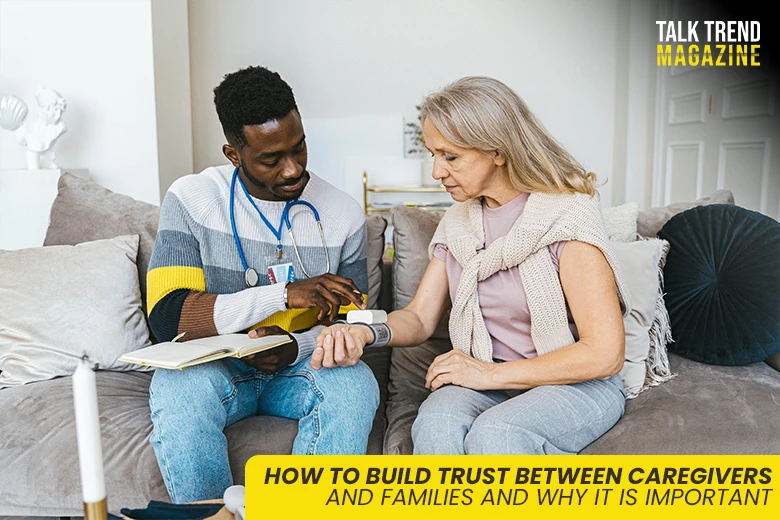
Trust shapes every caregiving relationship. When families invite a caregiver into the home or care team, they are sharing responsibility for someone they love. That decision often comes with concern, questions, and emotional weight.

Trust isn’t developed automatically. It develops through daily actions, simple choices, and respectful communication. When trust is strong, care feels safer and more coordinated because families worry less and caregivers work with clarity.

When trust is weak, even minor issues can feel overwhelming, which makes misunderstandings more likely. Understanding how trust forms and what sustains it helps protect the quality of care and the family’s peace of mind.

Trust also influences how families communicate concerns and collaborate during routine care decisions. Establishing trust early helps prevent confusion or conflict later.

Strengthening Trust Through Clear and Compassionate Communication

Trust starts with how you communicate. Clear communication prevents confusion, but compassionate communication builds confidence, and these are not the same thing.

Care improves when communication is two-way instead of one-sided. Family members aren’t just receiving updates; they’re also taking part in decisions, concerns, and service adjustments as needs change.

Parenting Our Parents notes that trust improves when caregivers simplify medical language, avoid medical jargon, and confirm understanding using teach-back methods. It also emphasizes routine updates and written records, which limit confusion and keep families involved in care decisions.

Family members build trust when they ask questions and receive clear answers. Caregivers build it when they explain not only what they do, but why they do it. Simple habits matter. Daily check-ins, written updates, and calm explanations help families stay informed.

inspirehomecarepa.com notes that a partnership approach supports independence while addressing non-medical needs, which aligns with clear and consistent communication. This collaborative method reduces guesswork and supports confidence in decision-making.

Good communication also lowers stress, which becomes especially important in home-based care environments. NPR highlights that home-based care often shifts more responsibility onto families, which can increase stress when expectations are unclear. Caregivers who explain roles early and communicate changes promptly help families feel prepared.

Transparency Through Shared Goals and Feedback Loops

Trust grows faster when expectations are clear. Family members need to understand what success looks like in daily care.

Caregivers also need to understand family priorities. A 2025 study reports that family caregivers feel more trust when they are formally recognized as care partners, not just observers. The BMC Geriatrics study found that unclear roles and inadequate feedback increased stress.

On the other hand, shared goals and regular reviews helped families maintain responsibility and respect for the care recipient’s autonomy. Caregivers also reported feeling less isolated when professionals acknowledged their knowledge and invited input during care planning discussions.

Feedback loops matter just as much as goals. When caregivers recognize the family’s role and invite their input, raising concerns feels safer. You know when to speak up and how feedback will be handled. Caregivers also gain clarity. Scheduled reviews help prevent emotional reactions during high-stress moments.

Simple processes such as weekly summaries or scheduled calls work best to maintain clarity. These habits show accountability. Accountability strengthens trust because actions match expectations.

The Emotional Layer of Trust in Care

Care is not only physical. It is emotional. When emotions are ignored, trust weakens. Psychology Today explains that trust depends on both competence and benevolence. Competence refers to reliable care processes. Benevolence reflects empathy and genuine concern.

Patients trust caregivers more when they feel cared for on a human level, not just treated. Small acts of caring, such as checking in during off-hours, can strengthen bonds and improve cooperation. Similarly, a caregiver’s tone of voice, patience, and acknowledgment of fear or grief build emotional safety.

Family members trust caregivers more when caregivers recognize their caregiving role. Respect for that shared history supports cooperation. A 2025 study notes that family members want to be acknowledged as partners in care. Their involvement increases when healthcare staff maintain transparency.

The study, published in the Journal of Interprofessional Education & Practice, also noted that several family members felt excluded during the decision-making process. This weakened trust during complex care planning. When caregivers feel respected, they communicate better, creating a healthier care environment.

Families can support this by expressing concerns calmly and clearly. Caregivers support it by listening without defensiveness. Mutual respect helps sustain relationships during rough days.

The Role of Reliability and Integrity in Building Trust

Trust requires consistency. Promises mean little without follow-through. A recent study published in BMC Palliative Care found that stronger caregiver-family relationships are associated with lower burdens.

The study also reports that families with high relationship scores experienced fewer schedule problems, fewer health complaints, and better emotional support. Caregivers also reported higher self-esteem when relationships were strong.

These findings reflect how dependable relationships reduce stress and improve daily routines, which strengthens trust throughout care interactions. When that stability exists, daily care feels easier to manage and monitor.

Reliability reduces the need for oversight, and consistency applies to staffing as well. Frequent caregiver changes disrupt trust and unsettle families. Stable assignments help caregivers understand preferences and build rapport.

Professional integrity matters as well. This includes respecting boundaries, maintaining privacy, and following care protocols. These actions show that care is structured, not improvised. When caregivers act consistently, families gain confidence and can focus on personal responsibilities instead of supervision.

People Also Ask

1. How do professional caregivers show they are trustworthy during the first week?

Trustworthy caregivers prioritize active listening and show respect for established family routines. They demonstrate reliability by arriving on time and precisely following the care plan. By asking for permission before starting tasks and showing genuine interest in your loved one’s stories, you build a respectful, human connection.

2. Why do caregivers sometimes struggle to build trust with families?

Trust takes time, especially when families feel anxious about delegating daily care. Caregivers may lack information about family expectations or past concerns. Misunderstandings arise when communication is rushed. Trust builds slowly when caregivers invite questions, respect routines, and show reliability during small but meaningful daily interactions.

3. Which indicators point to an untrustworthy home care provider?

Red flags include frequent lateness, inconsistent communication, or ignoring your loved one’s specific preferences. Watch out for caregivers who avoid documenting daily activities or seem defensive when family members ask questions. Trust your gut feeling if the care feels disorganized or if the agency fails to provide regular updates.

Trust between caregivers and families does not happen by chance. It develops through communication, transparency, emotional respect, and consistent actions. Each element reinforces the others. When trust is present, care becomes calmer and more effective.

With trust in place, families feel informed instead of anxious, and caregivers feel supported rather than scrutinized. By paying attention to how trust is built and maintained, you protect both the quality of care and emotional well-being. That protection matters every day care is provided.

Independence is more than just being self-sufficient for many elderly people. It embodies control over their lives, the ability to make choices, and the feeling of being respected. When home care enters the picture, it can feel like a delicate transition. While this support is often essential, it may unintentionally threaten a senior’s sense of autonomy if introduced without sensitivity.

Finding the perfect balance between support and independence starts with intention. Effective home care recognizes when to step in and when to step back, allowing seniors to remain active participants in their own lives.

Rather than viewing older adults as problems to be managed, caregivers must acknowledge them as individuals shaped by experience, values, and personal preferences. This article explores practical strategies that help seniors preserve their independence while still benefiting from the safety and support that home care provides.

Creating a Safe Yet Empowering Home Environment

Home modifications are often the first step toward enhancing safety, but they should be approached thoughtfully. Simple improvements, such as installing grab bars in bathrooms, enhancing corridor lighting, or installing nonslip flooring, can significantly increase safety. Research reinforces the value of these adjustments.

As per a study published in Nature, age-friendly home modifications are linked to better health and life satisfaction among older adults. It found that having any age-friendly modification was significantly associated with improved self-rated health and higher life satisfaction.

Notably, the more modifications a home had, the better the average health and satisfaction scores, indicating a dose-response relationship. Perhaps the most empowering aspect of creating a safe home is involving seniors in the decision-making process. Since the home reflects their memories, routines, and identity, making changes without their input can feel intrusive, undermining their sense of agency.

Beyond physical safety, emotional comfort plays a crucial role in creating a truly empowering environment. Companion care services help address this need by offering social interaction, shared meals, and a reassuring presence, all of which reduce isolation.

Aurora Home Care notes that a professional caregiver helps with bathing, dressing, and toileting. This is deeply personal, and the way it’s delivered matters. Moreover, emergencies can happen anywhere. Knowing that trained caregivers are ready to respond promptly provides peace of mind for both seniors and their families.

Encouraging Physical Well-being and Resilience

Physical strength is a vital aspect of maintaining independence. The stronger and more mobile seniors feel, the more confident they are in navigating their surroundings.

Exercise doesn’t necessarily mean rigorous workouts. Simple actions like walking, stretching, chair exercises, or light resistance training can have a substantial impact. Regular physical activity enhances both mental and physical health. Such activities lower the risk of chronic diseases such as heart disease, ease pain and depression, and support longevity.

Research further highlights these benefits. As per The U.S. News Health, studies indicate that engaging in 300-600 minutes of moderate exercise weekly is associated with reduced mortality rates.

Experts recommend a balanced routine combining aerobic, strength, and balance exercises, beginning slowly. But always make sure not to explore high-impact moves like long-distance running, deep squats/heavy deadlifts, or jumping (burpees) without professional guidance.

Equally important is a mindset that focuses on ability rather than limitation. Caregivers can play a powerful role by celebrating small achievements, such as standing without assistance or walking a few extra steps. Each success builds confidence, much like laying individual bricks to strengthen a foundation over time.

Safety remains a critical consideration. Falls are one of the most serious risks facing older adults. More than one in four elderly people reports falling every year, according to Injury Facts. In 2023, 41,400 people aged 65 and over died as a result of preventable falls. More than 3.5 million people received emergency care for fall-related injuries.

Therefore, implementing fall prevention strategies, ensuring proper footwear, and maintaining clear walkways enable seniors to move confidently and reduce their fear of falling.

Supporting Cognitive Independence

Cognitive independence is just as crucial as physical independence, yet it is often overlooked in home care settings. Many seniors may require assistance with daily tasks but still desire to maintain control over their thoughts, decisions, and interactions with the world. Supporting cognitive independence involves respecting an individual’s ability to reason, remember, and make choices, regardless of their age or condition.

Research published in Frontiers shows how engaging in mind-stimulating leisure activities can positively impact well-being, cognitive impairment, and longevity in middle-aged and older adults.

For example, daily reading has been linked to many benefits. These include 7% reduction in depression risk, enhanced well-being (such as increased energy and sense of purpose), and improved cognitive abilities.

Similarly, engaging in daily solitary games is associated with a 13% decrease in mortality and increased energy. Even occasional play boosts optimism and cognitive function. Social games played daily help reduce loneliness and lower the risk of Alzheimer’s disease by 39%.

When it comes to memory care at home, the focus should be on familiarity and reassurance rather than correction. Techniques like gentle reminders, visual cues, labeling items, and maintaining consistent routines help seniors stay oriented without causing embarrassment.

Incorporating problem-solving into everyday activities can also promote cognitive engagement. Assisting seniors in planning meals, organizing schedules, or tackling simple household tasks fosters a sense of contribution. Even when they require help, collaboration is much more empowering than taking over completely.

FAQs

Why are assistive devices important for the elderly?

Assistive devices help older adults maintain independence and safety while performing daily activities. They support those with mobility, vision, or hearing challenges by reducing fall risks, improving accessibility, and making home navigation easier. Choosing the right devices depends on individual needs and the home environment.

What is supported decision-making in aged care?

Supported decision-making in aged care is an approach that helps older adults actively participate in decisions about their lives and care. Rather than making choices for them, caregivers provide guidance, information, and support. This way, individuals can make informed decisions aligned with their preferences and values.

What are the technologies for elderly care?

Elderly care technologies include wearables, smart home systems, sensors, and AI-powered tools that promote safety and independence. These technologies offer fall detection, remote health monitoring, medication reminders, GPS tracking, and even social robots. This helps seniors stay connected while giving families greater peace of mind.

Helping seniors maintain their independence while receiving home care requires a delicate balance of support and respect. As caregivers and family members, our role should be to facilitate independence, celebrating each small success as a step toward greater confidence and self-sufficiency. In this way, we not only enrich their lives but also redefine the aging experience as one filled with meaning, dignity, and choice.

Agtalk is like a large online coffee shop, where people, such as farmers and mechanics, discuss their agricultural issues. It is a community platform where people ask questions, share advice, and learn from each other about crops, equipment, markets, and even everyday life.

The site has separate rooms, or “sections”, such as machinery talks, crop talks, procedures, market talks, kitchen tables, and Agtalk cafes. Each section focuses its own attention, so you can easily find what your question fits. There is also a classified area where people buy and sell agricultural equipment.

Why is Agtalk so Easy?

Today, farming is not just about planting seeds and waiting for them to grow. Technology plays a significant role, including computer monitors, GPS systems, and accurate equipment in tractors. When something breaks or fails to connect, it can disrupt your entire day. This is where Agtalk helps.

On the site, farmers share quick improvements, tips, and their real-world experiences. For example, if a tractor monitor is not recording correctly, someone else may have the same issue and can share the setting that resolves it. Instead of waiting for a dealer or technician to come and inspect, you can often seek help from other farmers who are familiar with the machine.

The crop talk and market talk sections are also busy during planting and crop season. People post about crop status, prices, or what they are looking for in their fields. By reading these threads, it seems that talking to neighbors can be from another state or country, except for the term “neighbor”.

How to Get the Most Out of Agtalk?

One of the best tips is: search before posting. Many questions, such as machine adjustments, software bugs, or spraying advice, have already been addressed. Reading past conversations can save time and give you ideas on how to explain your own problem.

When you do post, give clear details. Instead of just saying, “My planter is not working,” write the make, model, year, and what you have already tried. The more clear you are, the quicker and more accurate the answers will be.

It also helps to post in the right section. Precision Talk is for technical questions, Machinery Talk is for equipment-related topics, Crop Talk is for farming practices, and Market Talk is for discussing prices and trends. If your topic is more personal or general, the Cafe and Kitchen Table sections are good places.

Another helpful habit is to follow up. If someone’s advice fixed your issue, go back and write what worked. That way, the next person with the same problem can benefit.

The community side of Agtalk

AgTalk is more than just a troubleshooting site. It is also a place where people share photos, stories, and even meals through the Kitchen Table or Cafe sections. That mix of practical help and friendly conversation makes it feel welcoming, especially for newcomers.

Also, if you are looking to buy or sell equipment, the classifieds section is very active. Instead of posting on a general site where people may not understand farm gear, you are dealing directly with others who know what they are looking at.

How Agtalk Compares to Other Farming Sites?

AgTalk is not the only farm forum, but it has its own strengths. Other sites, like The Combine Forum, focus on very specific machines, while big media sites, such as Agriculture.com or AgWeb, offer news and expert articles alongside discussions. Reddit also has farming groups, but the advice can be hit or miss because it mixes hobby farmers with professionals.

What sets Agtalk apart is the practical, everyday advice from people who are in the field right now. It is less about polished articles and more about “here is what worked for me this morning.”

A simple way to start

If you are new, take some time to read recent posts. Notice how people write their titles and how they explain their problems. When you feel ready, create an account and join in. Be polite, keep your questions clear, and do not be afraid to ask.

The more details you give, the better help you will get. Moreover, once you have solved your issue, share the result. That way, you will be adding to the knowledge bank for the next farmer who encounters the same issue.

Final thoughts

The best approach to Agtalk is also the easiest: be clear, be respectful, and share your results. The site works because farmers help farmers by telling the truth about what actually happens in the field or in the shop.

Since agriculture varies with new equipment and new challenges, there is a place where real people share real reforms, more valuable than ever. Agtalk shows how a simple online community can save time, cut despair, and make farming a little easier.